Data Dependency Viewer
When you encounter a new app, or need to make changes to an app – understanding how data flows through the app is critical. Consider the following questions:
- If I make a change to this drop-down field, what other components might be affected?
- Where is the data to fill this drop-down field sourced from?
- If I need to change this piece of data, what components might be affected?
The Data Dependency Viewer is functionality to help answer these questions.
Exposing Components that Depend on a Data Path
This example shows how to find components on the page that depend on a specific path in the data store.
- Select the data path that you want to find dependent components for. Press the 'Expose' button:
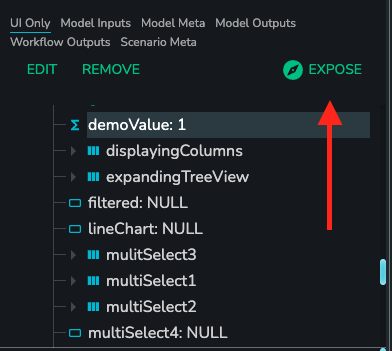
- Now the dependents of this data-path is being exposed - you should see the header at the top of your screen:

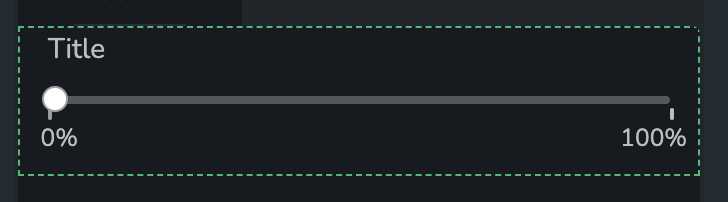
- You should now see some components highlighted with a green border - these components depend on the
demoValuein some way. For example, we can see that this Slider depends ondemoValue:
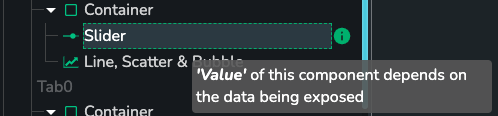
- We can also see that the Slider links has it's
Valuelinked todemoValueby hovering over the info icon in the component tree:
Exposing Components that Depend on Another Component
This example shows how to find components on the page that depend on the selected component.
- Select the component that you want to find dependent components for. Press the 'Expose' icon:
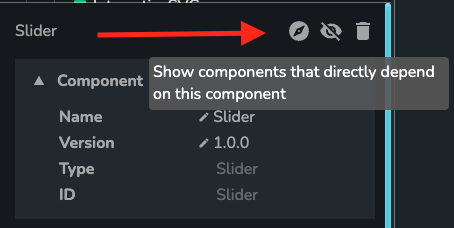
- Now the dependents of this data-path is being exposed - you should see the header at the top of your screen. In this example we have exposed a Slider component:

- You should now see other components highlighted with a green border - these components depend on the Slider in some way. For example, we can see that this Heading component depends on the Slider:

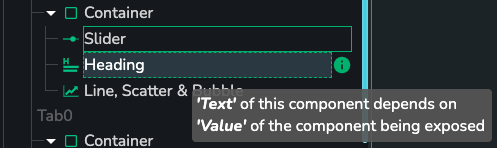
- We can also see that the Heading depends on the Slider by hovering over the info icon in the component tree (it's
Textlinks to theValueof the Slider):
What Makes a Component 'Depend' on a Piece of Data?
A component depends on a piece of data only if:
- A property of the component links to the data (or to a nested path within the data)
What Makes a Component 'Depend' on Another Component?
A component depends on another component only if:
- Both components depend on the same piece of data. For example, if both components have properties that link to the same path in the store, like the Heading and Slider in the above example.